Posts

Showing posts with the label Google Photos

New Weather Apps - Sep'20 (Week - 01)
Image
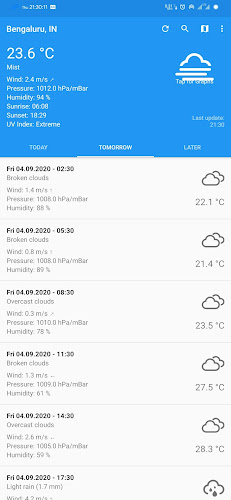
This week we have brought brand new weather apps worth trying. 1.  CliMate Released date: 25Jul2020 Downloads:  50+ Size: 2.37 MB Version: 1.15.2  Climate is surely a new entrant to the play store but not just another basic weather app since it offers all the features of a weather app without any ads and in-app purchases with a clean and simlple UI along with loads of customization options. Features: Themes support. Complete weather report for a week. Customizable units Parameters such as temperature, wind speed, Humidity, Pressure, UV Index available. Sunrise and Sunset. Widget support. Graphical representation of the data. Mostly shows accurate data.
Google Photos

Image
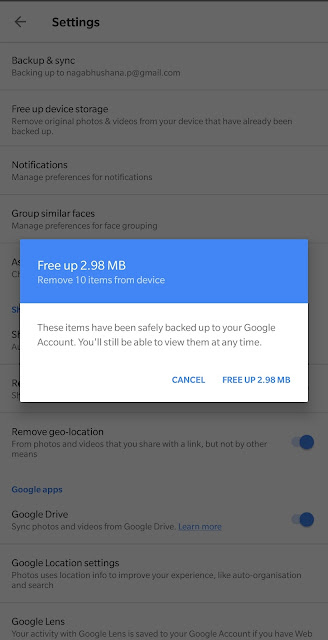
Over the years the Google Photos app (launched in May'15) for Android got very useful features and became the BEST photos or gallery app. App Version: 3.21.0 These are the few features made the Google Photos very useful. Free Unlimited Storage:  This app lets users save all the photos and videos in high quality to the cloud, remember only Pixel devices has the real unlimited storage which means you can save all photos and videos with the original size (it's not a deal breaker for most of the users).  Visual Search: All the photos saved are searchable by people, places, and things without tagging (for people initial tagging is required). Google lens integration makes this app more useful than ever.  Use this link for more info about Google Lens https://goo.gl/oFXsCW FREE UP SPACE: This lets you delete all the photos and videos that are saved in the cloud from the device which means phone's storage can be used for other purposes. Free up space...

Google Lens

Image
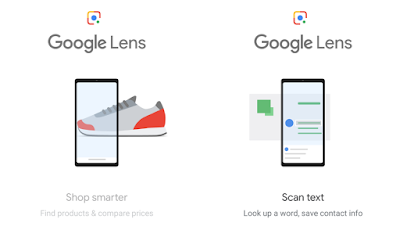
Google had announced Google Lens feature during Google I/O 2017, this gives results based on the visual analysis (in other words Camera-powered search engine). Now, this feature has been integrated with Google Assistant and Google Photos. After launching the Assistant, the Lens icon can be seen right corner of the screen. Tap the icon launches the camera and with a tap, it analyses and tries to give relevant information. In some cases, it doesn't work properly as this is still an experimental app and will improve over time. In this case, couldn't recognize the Cardamom  With Photos integration, the Lens features such as smart text selection and identifies addresses and phone numbers are very useful in day to day life. Google also announced Style Match feature at Goole I/O 2018 that recommends similar products and fetches information about the product. Google Lens is now available via the default camera app for some phones and will be rolled ou...