Posts

Showing posts with the label Android

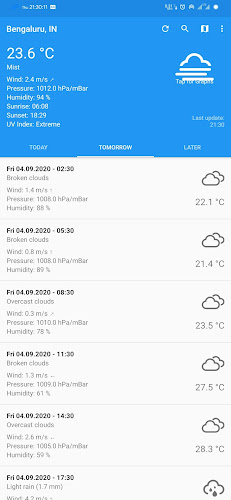
New Weather Apps - Sep'20 (Week - 01)
Image
This week we have brought brand new weather apps worth trying. 1.  CliMate Released date: 25Jul2020 Downloads:  50+ Size: 2.37 MB Version: 1.15.2  Climate is surely a new entrant to the play store but not just another basic weather app since it offers all the features of a weather app without any ads and in-app purchases with a clean and simlple UI along with loads of customization options. Features: Themes support. Complete weather report for a week. Customizable units Parameters such as temperature, wind speed, Humidity, Pressure, UV Index available. Sunrise and Sunset. Widget support. Graphical representation of the data. Mostly shows accurate data.
Know the app better: Google News

Image
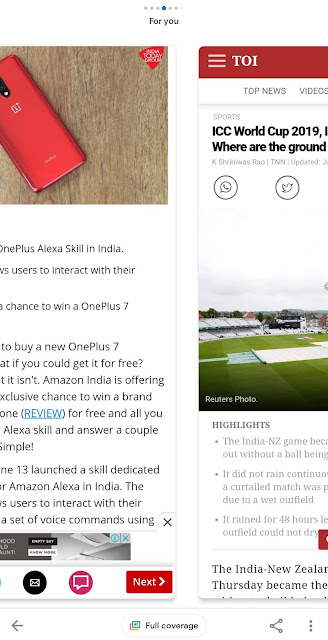
The News app from Google is one of the best News apps in the Play Store since it organizes what's important to you according to your preference to keep you up-to-date. With the recent update, the app has got UI improvements and full coverage, easy sharing, and etc. Now, no need to go back and forth to switch between different news articles. Just open an article, then swipe left or right to switch to next news or next page and it just feels Android Pie multitasking on the news app. Google News - News Switcher If you want to know more in-depth about a particular story, just tap on full coverage which would fetch different news articles relevant to the same topic. The 3-dot menu has been moved to bottom which makes convenient to share and save for later news articles.     Google News - 3Dot Menu My Activity :  This feature helps you find the history of News on App and Web and lets you manage the history. You will be able to see the read n...

Know more about Gboard

Image
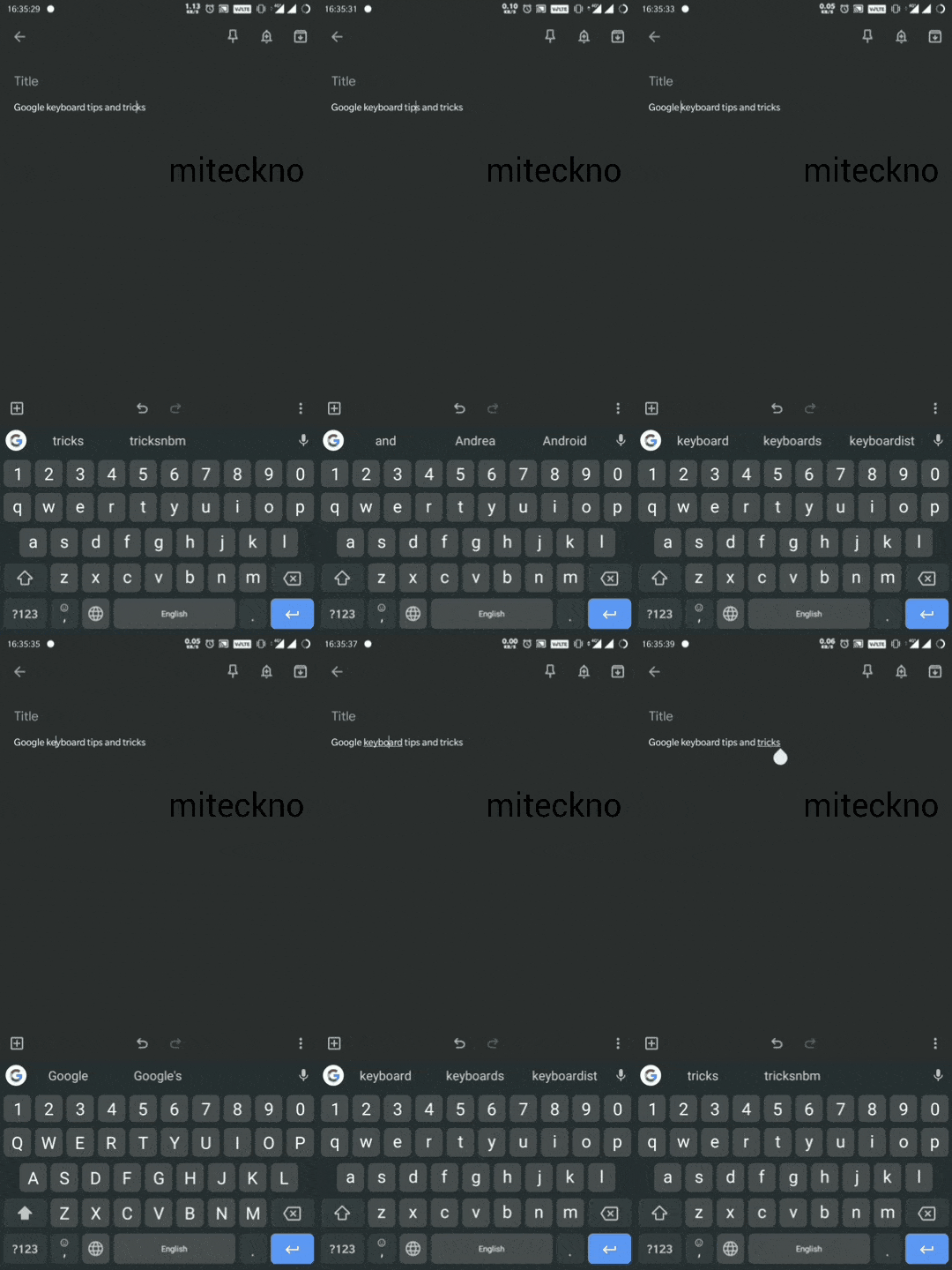
Glide typing: This feature (swipe typing) is well known on Gboard and helps to type faster compared to the traditional typing. Just slide your finger from letter to letter. In case of this isn't working, use below path to enable it. Settings > Gilde Typing > Enable Glide typing Using Spacebar as a Trackpad: This is a very useful feature if you want to reach another part of a sentence to modify a word(s) from the endpoint. Just long press on the spacebar and keep right or left without leaving the spacebar. Gesture Cursor Control - Gboard In case of this isn't working, use below path to enable it. Settings > Gilde Typing > Enable Gesture cursor control Deleting a Word or a Sentence: Using this feature, deleting a word or a sentence can be done quickly. In order to do this, slide left from the delete button (a quick slide will delete a word and long slide to the left will delete the entire sentence). Gesture Delete - Gboard In case of this isn...

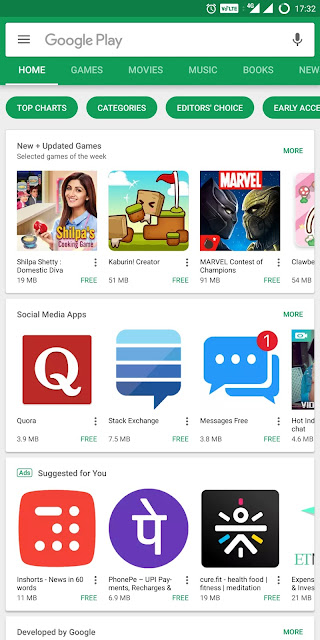
Google is cleaning up Play Store

Image
Google has removed over 0.7 mn apps from the play store in 2017 that violated its Play store policies and among them, more than 70% were removed in 2016. In a blog post, Andrew Ahn (Product manager) has stated that "Not only did we remove more bad apps, we were able to identify and take action against them earlier. In fact, 99% of apps were identified and removed before anyone could download them since these apps contained abusive content. This was possible through significant improvements in our ability to detect abuse - such as impersonation, inappropriate content, or malware - through new machine learning models and techniques." Based on the below three factors these apps were removed from the Play Store. Copycats : More than a quarter of a million were removed that attempted to deceive the users by emulating a well-known app. Inappropriate Content : Apps that contain or promote inappropriate content such as pornography, extreme violence, hate and illegal activities....

Chrome OS 64

Image
Google has updated the Chrome OS recently to Chrome OS 64, precisely Version 64.0.3282.134 (Official Build). This update brings quite a few new features to all the Chrome devices, including various improvements based on how Chromebooks with the Google play support will be able to handle the Android applications. This Official build lets users take screenshots on Chromebooks with a 360 degree hinge up which a welcome addition. The traditional shortcut (hold volume down and power keys) of Android is borrowed to capture a screenshot. Revamped Intent Picker for Play Applications (Same window by default with override)  Lockscreen Performance Improvements  Enable VPN for Google Play Apps  Enhancements to protect media pipeline for Android  Android Container Auto Update Optimizations  Touchscreen pairing settings  Split-Screen mode for tablets Improved pop-up blockers Critical security fixes which include additional browser migrations to pr...

App Review - MUSIXMATCH Review

Image
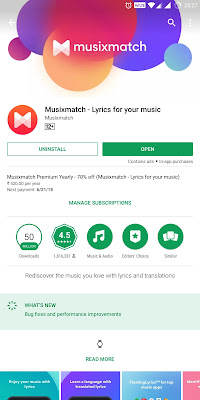
App Name: MusixMatch Version: 7.0.2 Platform: Android (Editor's choice) Developer: MusixMatch, Italy There are tons of Music players available in the play store, hence picking one isn't that easy though you can obviously choose them based on the rating. For all sort of preferences, there should be a single solution which could make the process quite easier.This where I believe MusixMatch stands out among the thousands of apps. Musixmatch has a simple menu which includes Home, Music, Contribute, Identify, and Search. Home shows Floating lyrics tile and this is a quite useful feature since it fetches lyrics of almost every song that you play on and a tap can fetch you lyrics of an unknown song playing around you. Music tab shows up all the album titles and whereas the contribute tab lets you modify or translate the lyrics. As mentioned earlier the Identify tab can be used to identify lyrics of the song playing.   Key Features: Instant ident...

App Review (02): SMS Organizer

Image
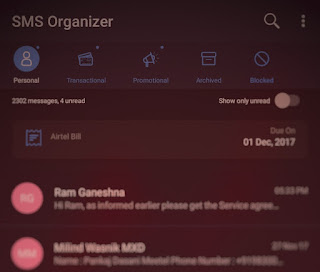
If you don't like the stock Android messaging app, this App Review should help you out! App Name: SMS Organizer Version: 1.0.45 (Beta Version) Platform: Android Developer: Microsoft Corporation (Microsoft Garage Project) SMS Organizer is a simplistic messaging app and more importantly its AD free. This app automatically categorizes all the messages viz., Personal, Transactional, and Promotional, thus this app cleans up all the spam quite effectively. Apart from this it has two more tabs namely Archive and Block. All the unread messages are just one tap away, with the SMS swipe feature is customization. This app supports Dark theme also.   SMART REMINDERS is another feature makes this app quite useful. It reminds all the bills, Bus or Train Tickets, Flight Tickets and Movie tickets as well. SMS Organizer comes with a smart OTP feature, shows only OTP with copy and delete option. This is pretty useful while doing transactions. The Backup and Restore of the mess...

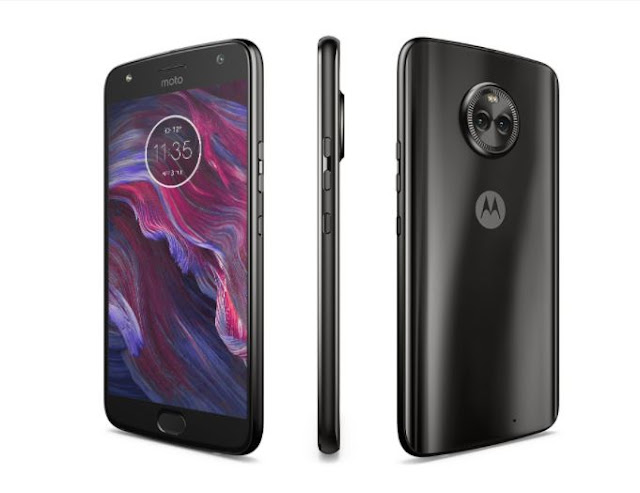
MOTO X4 is expected to launch in India on November 13, Priced at Rs.23,999

Image
According to a new leak, Moto X4 is set priced at Rs.23,999 and would be expected to launch in India on 13th November. The main highlight of this smartphone is that it comes with both Google Assistant and Amazon Alexa as voice-based virtual assistants. Apart from this, this device is going to be first Android One smartphone from Motorola and an affordable Google's Project Fi device (But we will have to wait and see whether the Indian variants of Moto X4 comes with Android One or Not). This phone is predominantly made of glass (CGG5), with glass on both front and back panels and a metal rim which provides rounded corners for a better grip. This phone has a 5.2 inch full HD LTPS IPS display with Corning Gorilla Glass 5. The Moto X4 is powered by a Snapdragon 630 chipset clocked at 2.2GHz, Adreno 508 GPU and has 3GB RAM for multitasking. It Comes with 32GB of inbuilt storage with a micro SD support which can be expandable up to 2GB and has 3000mAh battery which non-remo...

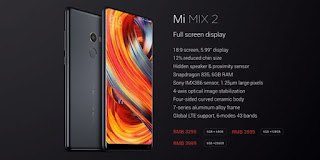
XIAOMI MI MIX 2 - India launch - What We Need to Know

Image
Last Year Xiaomi's MI MIX was a head turner with its edge to edge design and built quality, but had the least access to mass as it was exclusive to China and it was for an obvious reason as it was first BOLD step from the company. It had got great reviews from tech enthusiasts across the world. But this 2nd generation MI MIX 2 is going to be Global variant and being launched in India tomorrow i.e, 10-10-2017. Design and Specs: This year MI MAX has smaller display 5.99-inch full HD+ display with an aspect ratio of 18:9 which gives a better grip than the previous generation. The smartphone is powered by a Snapdragon 835 64-bit octa-core SoC paired with Adreno 540 GPU, and 6GB of RAM.  It measures 152.6x73.95x7.6mm and weighs 163 grams. For photography, the Mi MIX 2 features a 12-megapixel primary camera with Sony IMX386 sensor, and 4-axis optical image stabilization (OIS). On the front, there is a 5-megapixel camera with the Beautify mode, 1080p video...

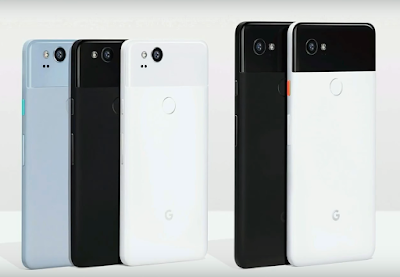
Google Pixel 2 and Pixel 2 XL Initial Impressions

Image
Google Pixel 2 and Google Pixel 2 XL: Well, arguably the Pixel devices are the best Android smartphones straight from the Google since both Hardware and Software are controlled by Google unlike nexus devices. The Second Generation Pixel devices have been unveiled on 4th October 2017.  Pixel 2 Pixel 2 XL You wouldn't be able to tell that the Pixel 2 was made by HTC and the Pixel 2 XL by LG — they're that similar. But when you dig a little deeper, the lineages are clear: the Pixel 2's AMOLED display isn't quite as vibrant (or tall) as that of the LG-made pOLED display on the Pixel 2 XL. Main Upgrades this year: IP 67 rating which means you take can give this phone a bath. Vibrant Colors choice (Regular model comes in Kinda Blue, Just Black and Clearly White - XL comes in Just Black, Simple black and white) Front Firing Speakers 18:9 QHD dispaly (only with XL) Highly rated camera Active Edge (HTC's inspired) Daydream re...